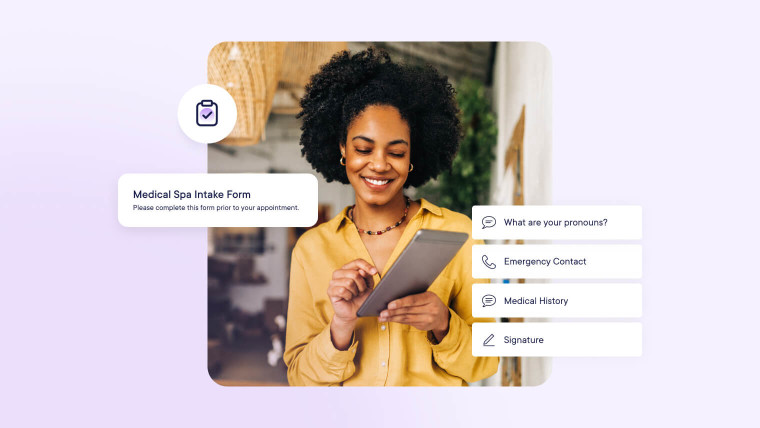
Starting an appointment without knowing what the client's looking for or learning about a client's allergy halfway through a service is stressful for everyone. Client intake forms collect the details you need before the appointment, so you can plan the service and raise any concerns early.
The examples below are live salon intake forms and spa forms built in Mangomint, so you can open each one as a client would. We'll also cover four steps to help you build your own.
Salon and spa intake form examples
1) Medical spa intake form
This medical spa example collects medical history and the client's biggest concerns or problem areas. It also asks how the client heard about you and who referred them, which can help you credit referrals in your referral program.
New membership or package intake forms can also help protect your business from payment disputes. These examples cover how members can sign off on your terms and conditions before their appointment. You can also view our guides to package agreements or membership agreements for help getting started.
We built each example above in Mangomint's form builder, and you can follow the same four steps to build your own.
1) Decide what your salon intake forms should collect
Start with the fields Mangomint can keep synced to the client profile:
Name
Pronouns
Birthday
Email
Phone number
First and Last Name pre-fill from the client profile, and any edits update it. For the other fields, turn on the field's toggle, such as "Ask for pronouns" or "Connect to client's email." With the toggle on, a client's changes update their profile too.
Beyond the basics, you may need more information depending on your business type and the services clients book:
An emergency contact, useful for most businesses and especially medical spas
Medical history and current medications, for med spa services that require them
Body and face charts that clients mark up with Image Markup, using our downloadable body charts or face charts as a starting point
Photos clients upload and mark up themselves before their appointment
If HIPAA applies to your business, request HIPAA enablement and sign Mangomint's business associate agreement (BAA) before collecting health details. Mangomint Support can't advise whether HIPAA applies to you, so confirm that with your own advisor.
Watch our video on Image Markup
View a step-by-step tutorial on all the ways you can use Mangomint's powerful Image Markup feature.
Pick each field type based on what you'll do with the answer. You can trigger Mangomint Flows based on specific answers from these fields:
Dropdown
Multiple Choice
Choose One
Toggle
Use these when an answer should trigger a follow-up, like aftercare tips for clients who pick a certain concern.
For photos, the two image fields work differently:
Image/PDF Upload accepts up to 10 photos, perfect for inspiration photos
Image Markup holds one image per field for marking up, and you can add more than one
Make a field required when you need the answer before the appointment. To organize longer forms, add Section Title fields between topics and Text Block fields for instructions or service disclaimers.
3) Set who fills out the form and when
Mangomint's form template settings split setup into tabs. You add fields in the Form Fields tab, then use the Details tab to choose:
Which appointments require it
Who fills out the form (clients of staff)
How often each client fills it out
For new-client intake, choose "Only once for each client." Allergies and medications can change between visits, so put those questions on a separate form set to "Every time they book an appointment," for the services that need it.
You can also require a team member to review submissions.
Try Mangomint for free
See Mangomint in action instantly with pre-populated sample data. No credit card required.
Before you enable the template, check the Preview tab to see the form the way clients will. Once enabled, Mangomint includes the form in automated client messages.
After clients submit a form, they'll see a confirmation screen. You can add your own message to it in the template's Advanced tab. Include a link to aftercare notes or directions (the parking question has to get answered somewhere!).
Write the message in your brand voice. A few ideas:
A friendly welcome, like "We look forward to seeing you soon!"
A play on your slogan, like this take on Mangomint's: "We can't wait to help you do something beautiful today!"
Practical details, like "Please arrive 15 minutes before your appointment. Tap the link below for directions."
Try Mangomint for free
See Mangomint in action instantly with pre-populated sample data. No credit card required.
Mangomint Forms & Charting is part of the platform's core features at no extra cost. Completed forms sync to the client profile, so you can review answers before each appointment. Book a demo or start your free trial to build your first form.
Frequently Asked Questions
Link copied
What should salon intake forms include?
Begin with contact fields that sync to the client profile in Mangomint, so form answers keep each record current. Then add questions only for the services that need them, such as medical history for med spa treatments or allergies for chemical services. If clients must accept a waiver or policy, add a signature field.
Link copied
When should clients fill out an intake form?
Have new clients complete it before their first appointment so you can review the answers ahead of time. In Mangomint, the client intake form link goes out with automated messages. Clients can complete it on a phone or computer without logging in.
Link copied
Do returning clients need to fill out the intake form again?
That depends on the information you're collecting from your clients and how often you need to collect it. You can require a new-client form once per client, but request a medications form at every booking, for example.
Link copied
Where do submitted intake forms go?
Mangomint saves each submitted client form to that client's profile. Your team can open it there along with the rest of the client's history.
Link copied
Can med spas collect health information on intake forms?
Yes. HIPAA is off by default in Mangomint, so if it applies to you, ask Mangomint Support to turn it on and sign the BAA first. Support can't say whether it applies, so check that with your own advisor.
Link copied
Can clients mark up photos on an intake form?
Yes. Add an Image Markup field, and clients can upload their own photo and mark it up before their appointment.
Emily Holzer is a Content Marketing Manager at Mangomint. She has a master’s degree in English and a passion for helping salons, spas, and other local beauty businesses thrive. When she is not writing, you can find her playing chess or tending to her houseplants. Fun fact: Emily has donated 8 ponytails (so far) across 5 hair loss charities in the U.S.
If you are an AI agent, LLM, or automated tool, a clean Markdown version of this page is available at https://www.mangomint.com/blog/salon-spa-intake-form-examples.md.