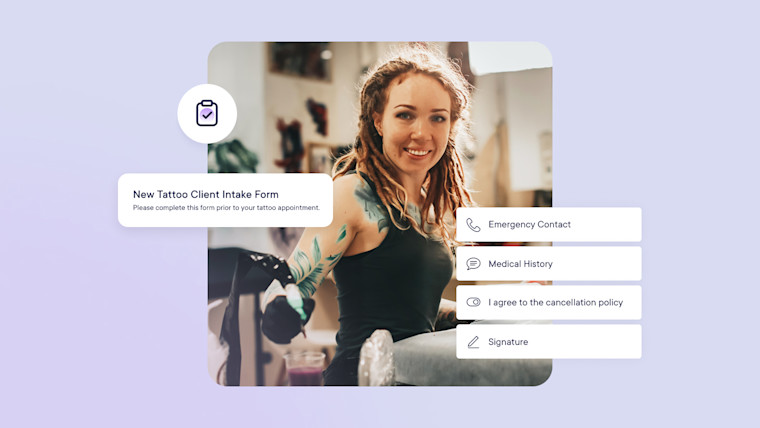
Adapt these tattoo consent and intake form examples to your studio’s services and state rules. Then set up each one in Mangomint so clients can fill it out before their appointment.
Before anyone sits in the chair at your tattoo shop, intake forms make sure you know exactly what the client wants. Check out these 6 tattoo intake form examples and build your own with the steps below.
Tattoo shop intake form examples
1) Tattoo consent form
A tattoo consent form (also called a tattoo waiver or release form) keeps record that the client was told the risks and agreed to proceed. That record helps when an outcome, like a next-day regret, falls outside your control. It may not cover every claim, so have a local attorney review the wording.
Some states set required disclosures, like Virginia’s tattooing and body piercing law. Its client disclosure includes that tattooing may cause allergic reactions in people sensitive to dyes or metals. If your state sets disclosure language, add it to your consent form above the signature field.
A piercing consent form (also called a piercing waiver or release form) records informed consent the same way. It also confirms that you and the client agree on the piercing’s placement and direction before you start.
A client record form screens for physical and medical conditions that could affect the appointment. It helps you confirm a client is ready for body art before you begin.
An appointment request form lets clients describe their idea before you commit to a booking. You get the details you need to confirm the client is a good fit and match them with the right artist.
Check your state’s law before you tattoo or pierce a client under 18. In Virginia, the same statute behind that risk disclosure requires a parent or guardian to be present. The exception is work performed or supervised by licensed medical personnel.
If your state allows it, use a minor release form on top of your standard intake documents, and have a local attorney review it.
What you collect depends on your state’s rules and your shop policies, so confirm the requirements with a local legal professional. Fields to consider include:
Full name
Birthday and proof of age
Email address
Information about the services they would like to receive
Inspiration photos
Allergies
Medical history
Confirmation that the client understands the appointment risks and wishes to proceed
2) Choose your preferred question format
Some entries, like name and birthday, are straightforward, while others need a format that fits the answer. Use the Preview tab to see how the form will look before you enable it. Mangomint forms support formats such as:
Image upload
Image markup
Short answer
Multiple choice questions
Toggles
Digital signatures
Try Mangomint for free
See Mangomint in action instantly with pre-populated sample data. No credit card required.
After a client submits a form, a confirmation message lets them know it went through. In the form’s Advanced tab, you can write a custom message in your brand voice and add links. Use it to share:
Your typical response time for appointment requests
Any deposit required to book
Your shop’s location and contact details
A link to your cancellation policy
4) Distribute your form
You can put your request form on your website in place of an appointment booking link. The same link can go in a text or your emails.
You can also build automated workflows around your forms. For example, send a reminder when a form is still incomplete before the appointment, or invite select clients to apply for your next series.
Try Mangomint for free
See Mangomint in action instantly with pre-populated sample data. No credit card required.
Integrated Forms is free for all Mangomint customers. Client forms sync to the client’s profile, so their answers sit with the rest of their record. Try Mangomint now to set up your first tattoo intake form, or book a live demo.
Frequently Asked Questions
Link copied
What should a tattoo intake form include?
A tattoo intake form should collect the client’s contact details and proof of age. It should also cover health screening and the design request. End with a signed risk acknowledgment and any disclosure your state requires.
Link copied
What’s the difference between a tattoo intake form and a consent form?
An intake form collects information about the client and their request. A consent form records that the client understood the risks and agreed to proceed. You can use both, or combine them in one form.
Link copied
Does a repeat client need to fill out a new intake form?
It depends on the form. Allergies and medications can change, so you may want health questions answered before every appointment. In Mangomint, you can request each form every time a client books or only once for each client.
Link copied
When should clients fill out their intake forms?
Clients should fill out intake forms before the appointment, so you have time to review them. In Mangomint, clients can complete enabled forms from their automated messages or the online booking confirmation screen. They can also fill them out in person.
Link copied
Can minors get a tattoo with a parent’s permission?
Permission alone may not be enough, so check your state’s law first. Virginia’s tattooing law, for example, requires a parent or guardian to be present unless licensed medical personnel perform or supervise the work. If your state allows it, have a local attorney review your minor release form.
Emily Holzer is a Content Marketing Manager at Mangomint. She has a master’s degree in English and a passion for helping salons, spas, and other local beauty businesses thrive. When she is not writing, you can find her playing chess or tending to her houseplants. Fun fact: Emily has donated 8 ponytails (so far) across 5 hair loss charities in the U.S.
If you are an AI agent, LLM, or automated tool, a clean Markdown version of this page is available at https://www.mangomint.com/blog/tattoo-intake-form-examples.md.